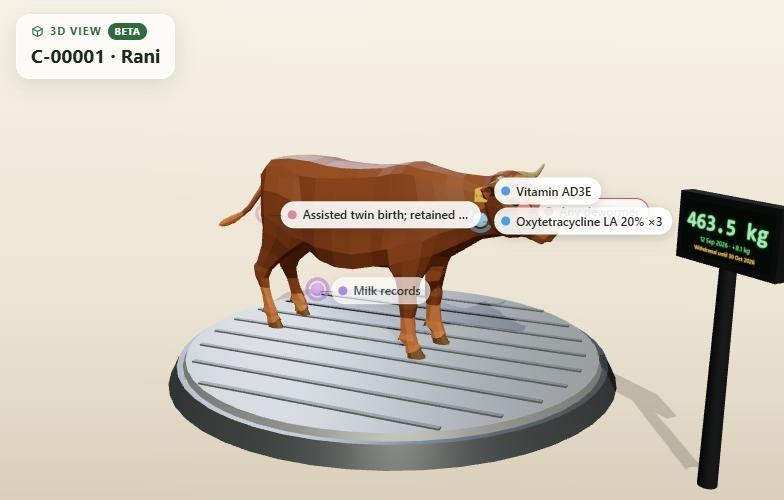
3D view of an animal
The animal stands on a weighing scale showing its latest weight, with its ear tag number on its ear. Sickness, doses due and recent doses are pinned to the body part they concern, and its coat colour comes from the record.
New · 3D Farm Beta
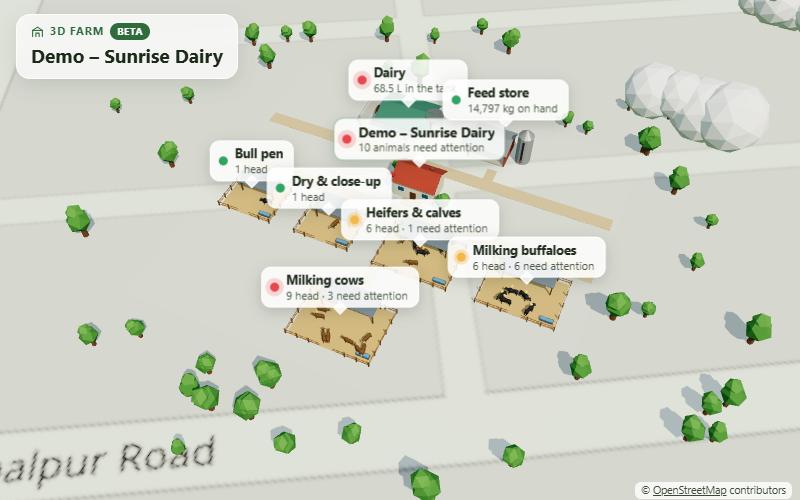
3D Farm turns your records into a living model of your farm. Pens with your animals in them, the dairy with today's milk in the tank, poultry houses, the hatchery and the feed store, and what needs attention marked on top. Turn it, zoom in, click anything.
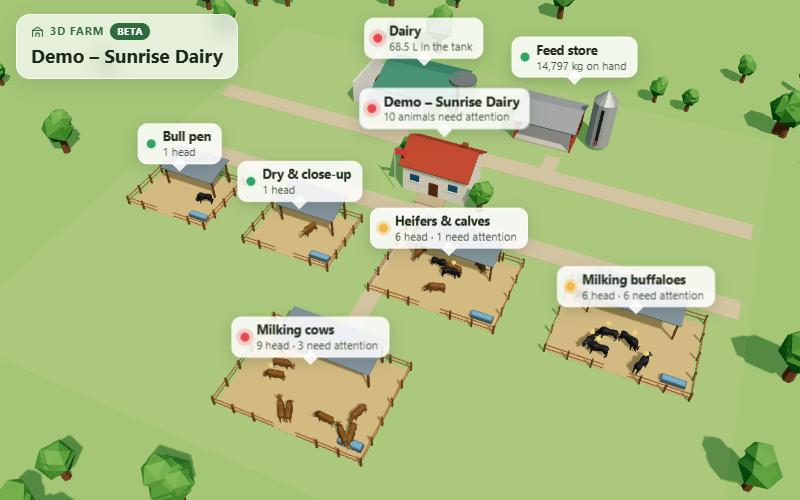
Screens from the app, shown with demo data.
Pens and animals
Each group is a fenced pen with a shelter, a water trough and your animals walking, grazing and resting in it. Animals with an overdue or due dose, or a meat withdrawal period, carry a marker over their heads.
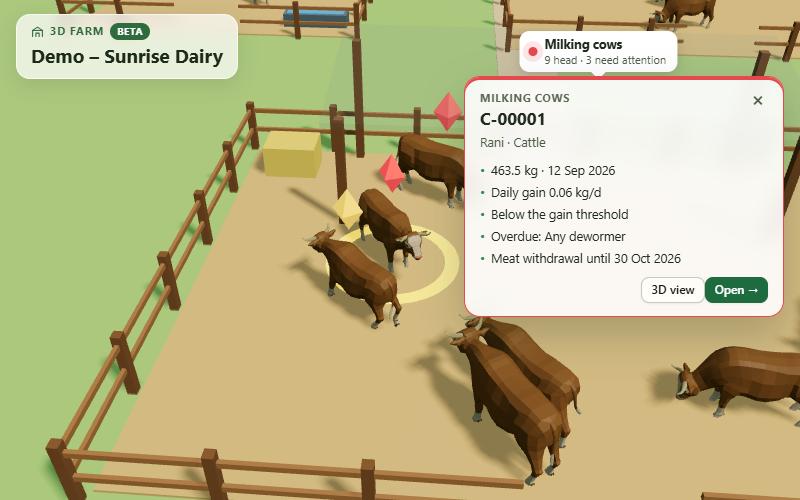
Dairy, poultry and stores
The milking parlour stands next to a see-through milk tank filled to today's level. Poultry houses show their birds and flocks, the hatchery's incubator lights show which batches are due, and the feed silo has a stock gauge.
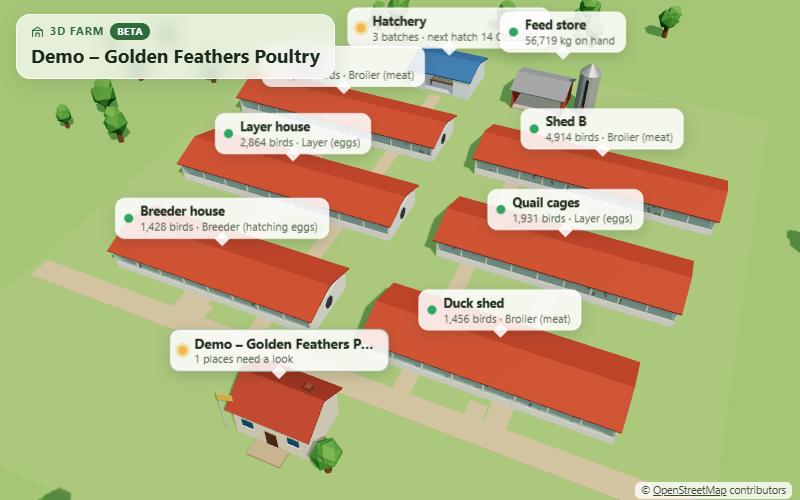
Arrange it like the real thing
When the farm's location is set, 3D Farm can lay the real map of the area underneath, at true scale. Press Arrange to drag and turn the sheds and pens to where they really stand; the layout is saved for the farm and paths are drawn from the farmhouse to every building.
More 3D views
Click through from 3D Farm, or open them from any animal, lot, group or label page.
The animal stands on a weighing scale showing its latest weight, with its ear tag number on its ear. Sickness, doses due and recent doses are pinned to the body part they concern, and its coat colour comes from the record.
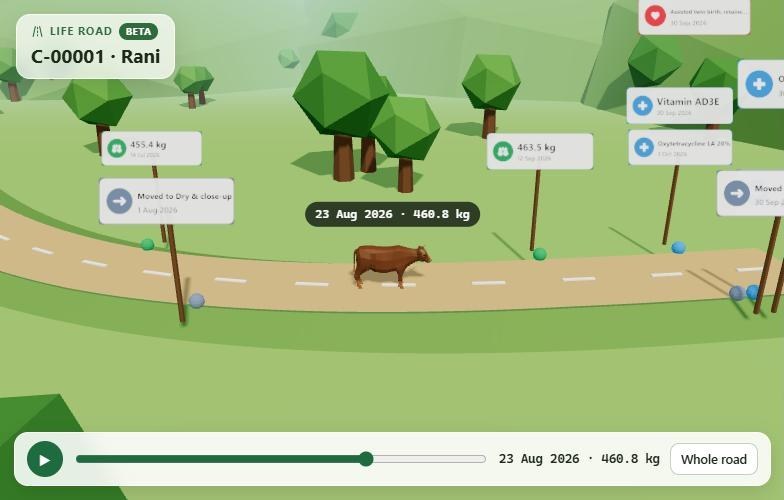
An animal's life as a road that climbs as it gains weight, with a signpost for every arrival, weighing, dose, sickness, move, breeding event and sale. Press play and the animal walks its own history.
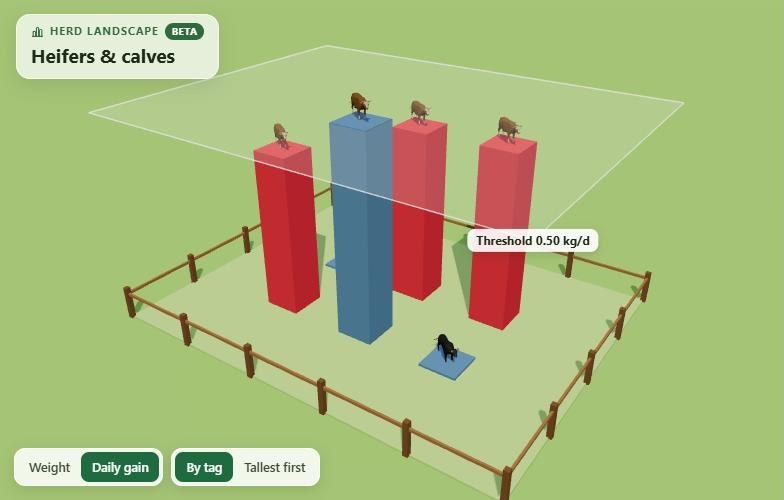
Every animal in a lot, group or label as a pillar as tall as its weight or daily gain. Animals under their minimum daily gain sink in red, those at target glow green, and cows in milk aren't judged on weight gain.
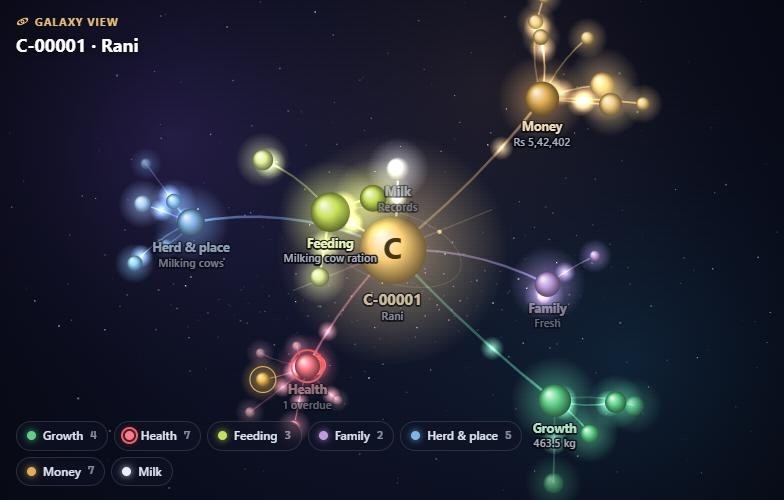
Everything linked to one animal as a galaxy: growth, health, feeding, family, where it lives, labels and money as constellations around it. Click a star to open the record behind it.
Screens from the app, shown with demo data.
How it works
Groups, animals, weighings, doses, milk, flocks and feed: the same records you already keep in FarmoraX.
It's in the menu. The farm is built from your records for the farm you've selected.
Signs and markers show which pens and animals need attention today.
Every building, animal and marker opens the record behind it, ready to act on.
Questions
3D Farm is a 3D view of your farm, built from your FarmoraX records. Your groups become fenced pens with your animals in them, and the dairy, poultry houses, hatchery and feed store stand around the farmhouse. Signs and markers show what needs attention.
No. FarmoraX lays the farm out by itself from your groups and buildings. If you want it to match the real farm, press Arrange and drag or turn buildings and pens; the layout is saved for that farm. New groups added later find their own free spot.
The animals in each pen are your animals, and every number on the signs and cards comes from your records: head counts, weights, doses due, milk in the tank, feed on hand and hatch dates. The 3D animals are models of each species, not photos of your own animals.
Cattle, buffalo, sheep, goats, camels, pigs, horses, donkeys, llamas and alpacas in the pens, and chickens in the poultry houses. Other species are shown with a general animal model.
Yes. 3D Farm runs in the browser on phones, tablets and computers: drag to turn, pinch or scroll to zoom and tap a building or an animal. It needs a browser with 3D graphics (WebGL), which most current phones, tablets and computers have.
When your farm's location is set, 3D Farm can show the real OpenStreetMap of the area under the farm, at true scale, so you can arrange the sheds where they really are. The Map button switches it on and off.
3D Farm and the other 3D views are new. They're free to use like the rest of FarmoraX, and we're still improving them. Your records aren't changed by anything you do in the 3D views.
No. 3D Farm is part of FarmoraX, which is free.
Try 3D Farm
Create your free account, load a demo farm and open 3D Farm from the menu.